

In the Retainful flow
1
Allow re-entry after 1 day
Open the flow’s Trigger and, under Re-entry criteria, choose Allow re-entry after a time period. Set the time period to 1 day.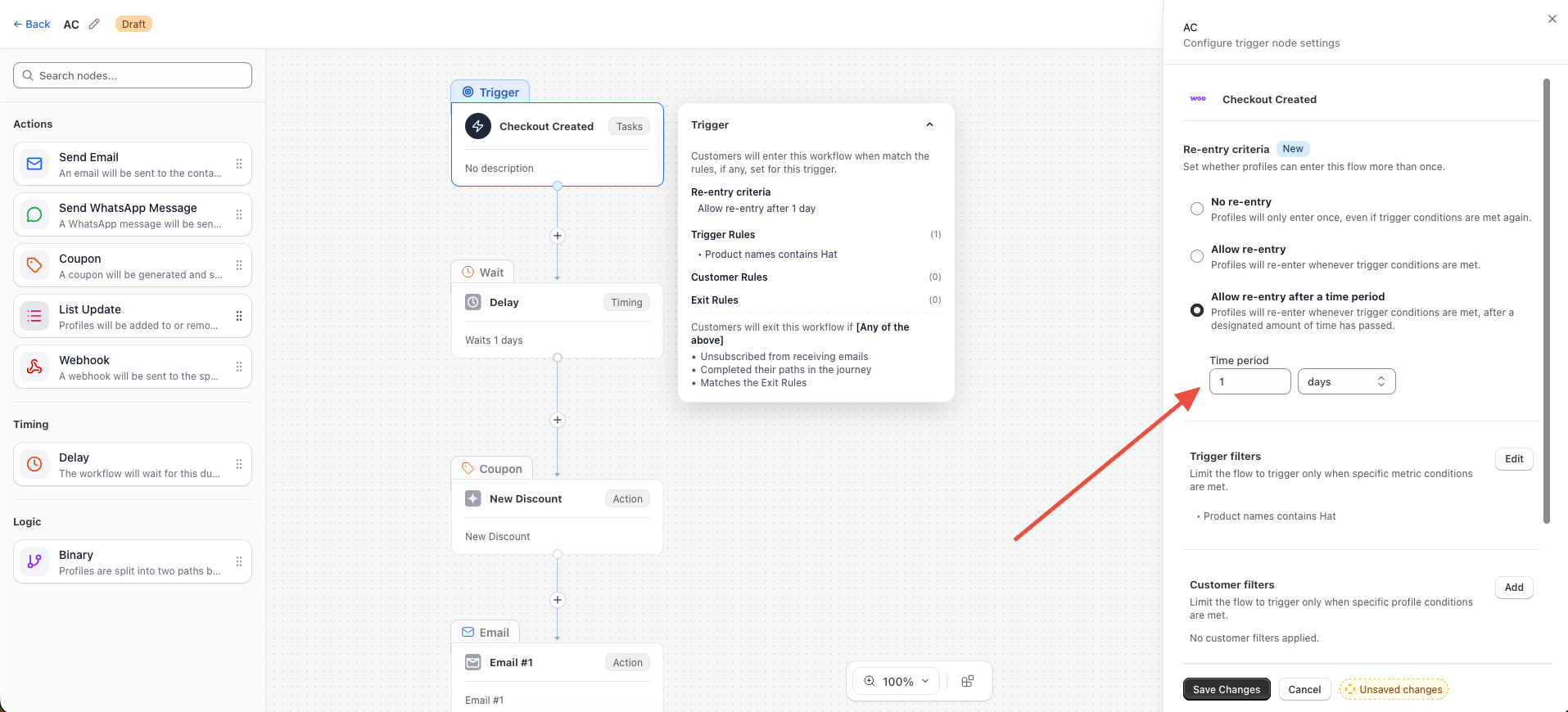
2
Exit on Order Paid or Order Fulfilled
Still in the Trigger, open Exit rules and add a rule that matches either condition: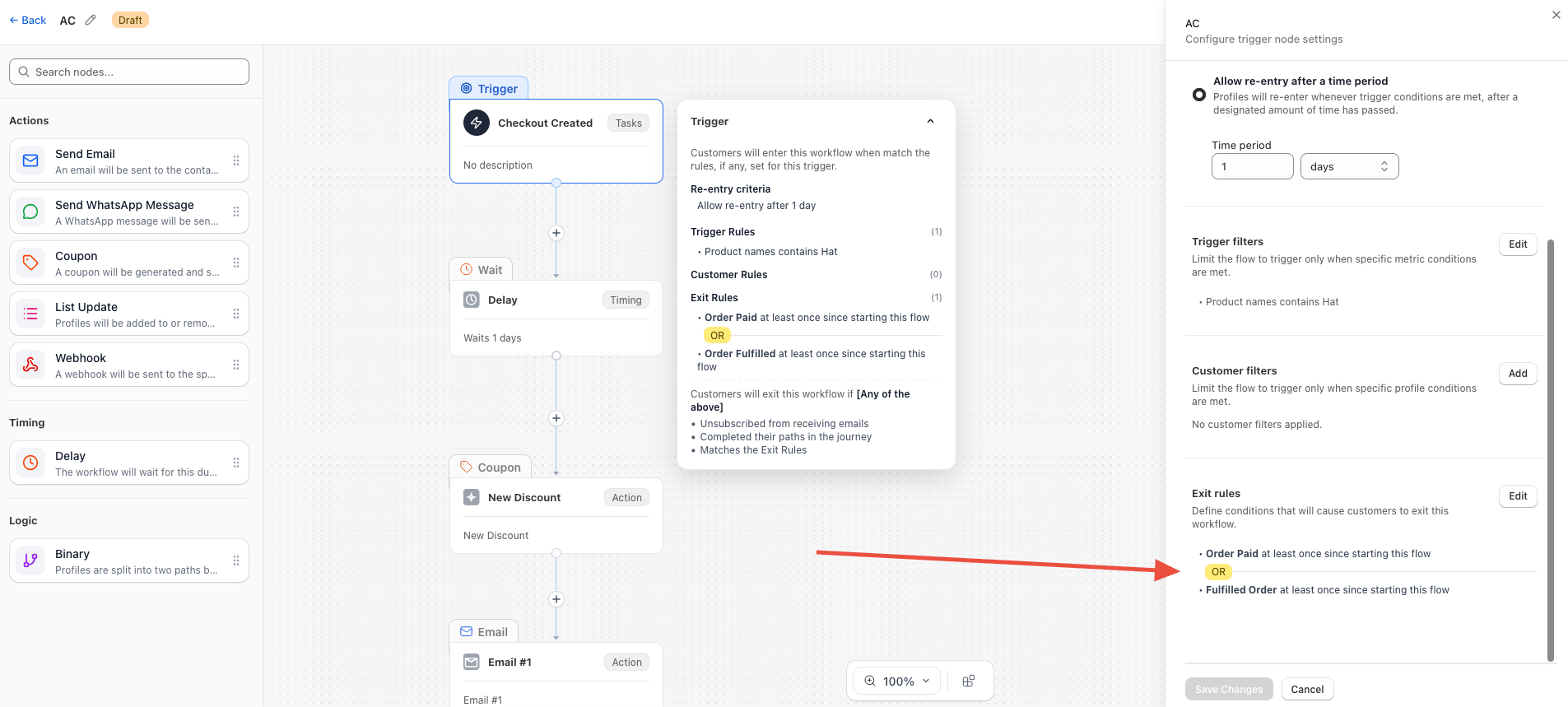
- Order Paid at least once since starting this flow, or
- Order Fulfilled at least once since starting this flow.
In the WooCommerce plugin
The exit rule can only stop an email if WooCommerce tells Retainful about the order in time. If order events are processed late, a customer can receive one more email before the exit fires.1
Open the WooCommerce integration settings
In your WordPress admin, go to Retainful → Integrations → WooCommerce and click View Settings.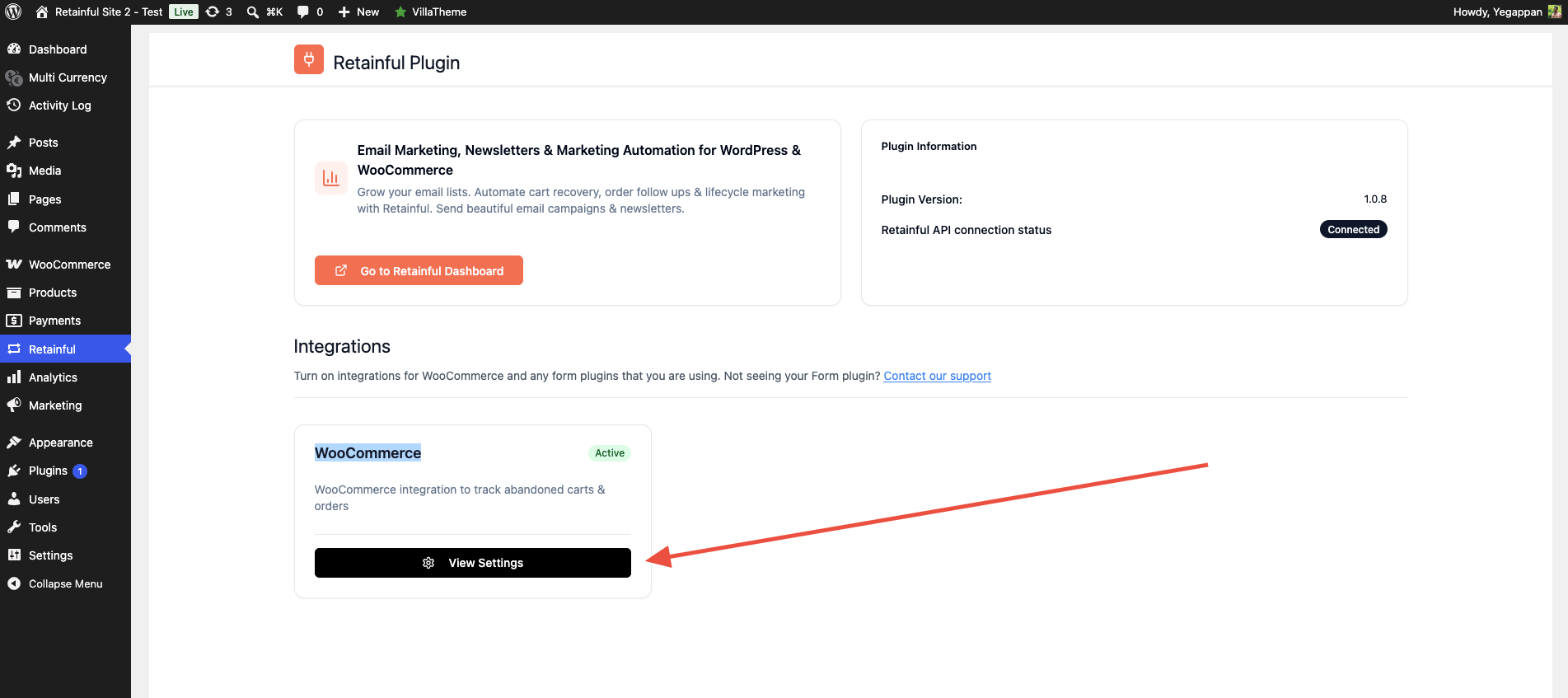
2
Turn off the WordPress Cron fallback
Under Advanced Settings, turn off Fallback to WordPress Cron Job (Optional). With it off, Retainful processes events using WooCommerce’s default Scheduled Actions instead of WordPress cron.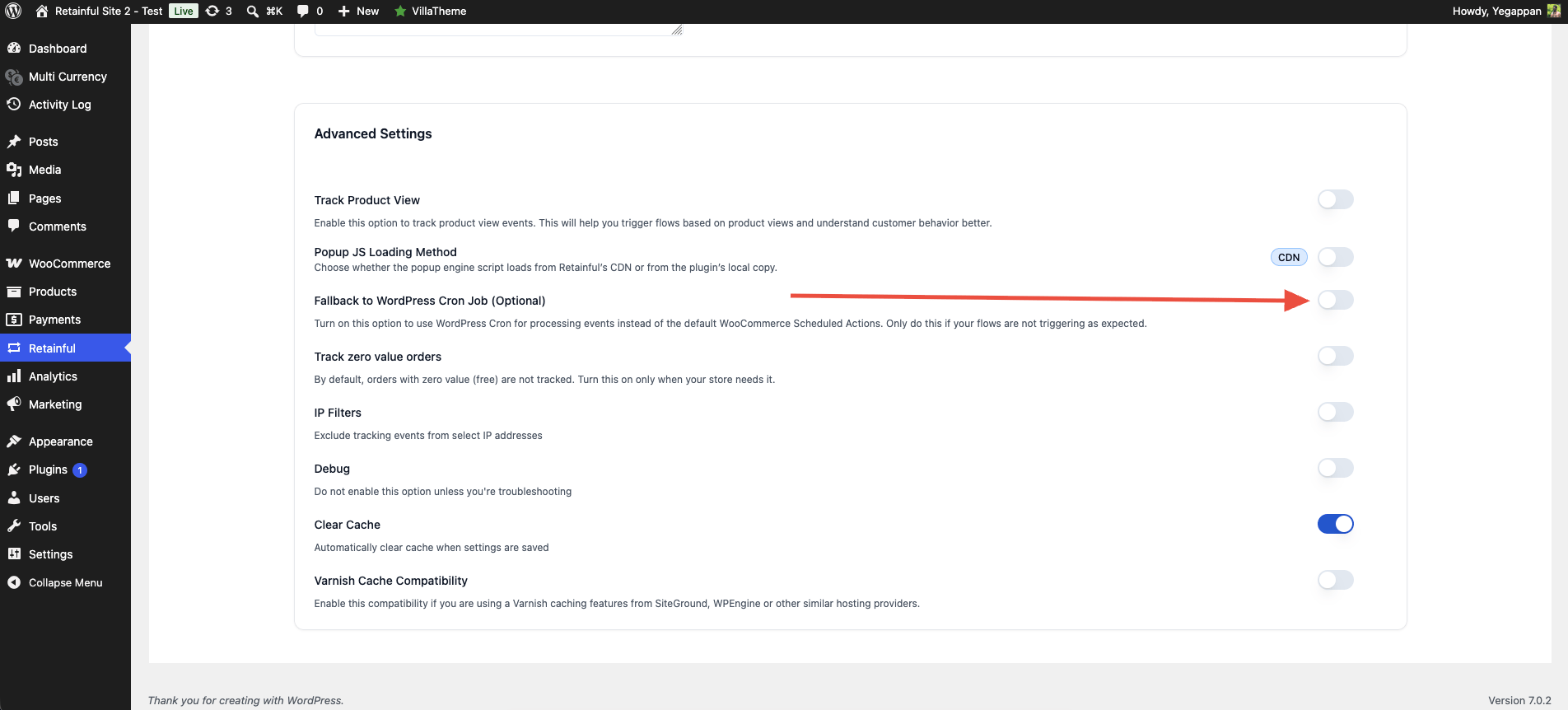
3
Check DISABLE_WP_CRON in wp-config.php
Open your site’s If the line is missing, that is fine — cron runs by default. If it is set to
wp-config.php and make sure WordPress cron is not disabled. DISABLE_WP_CRON should be false, or not defined at all:true, background events will not process on schedule and the exit rule can fire late.