

Requirements
- WordPress with WooCommerce active.
- The Retainful plugin (version 3.0 or later).
- Your site must be reachable from the internet (for the connection handshake).
Install and connect
1
Install the plugin
In your WordPress admin, go to Plugins → Add New, search for Retainful, install and activate it.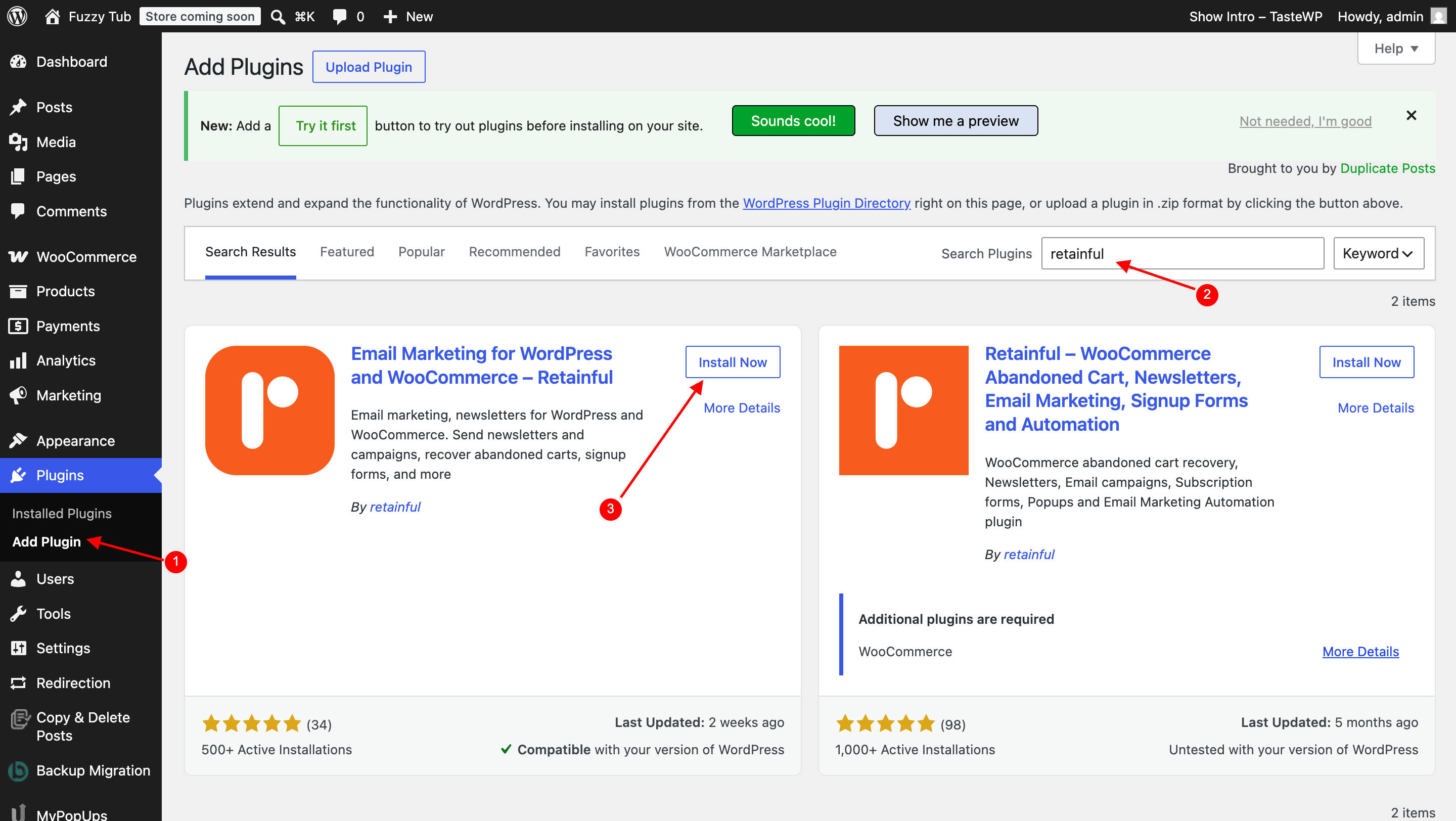
2
Start the connection from Retainful
In Retainful, go to Integrations → WooCommerce, enter your store URL (for example 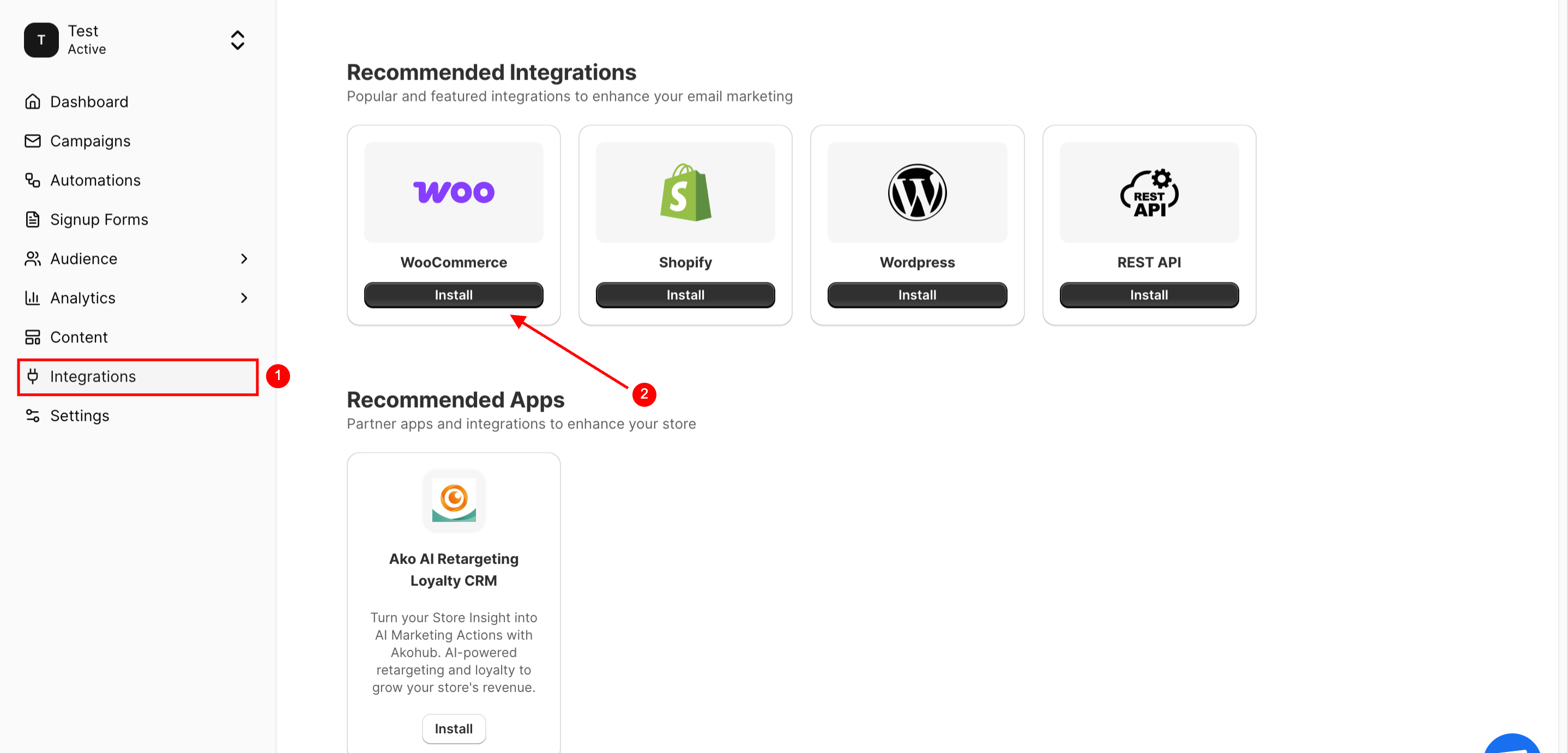
https://mystore.com), and click Connect.3
Approve in WordPress
You’ll be redirected to your WordPress admin to approve the connection. Once you approve, the plugin registers itself with Retainful and sets up event delivery automatically.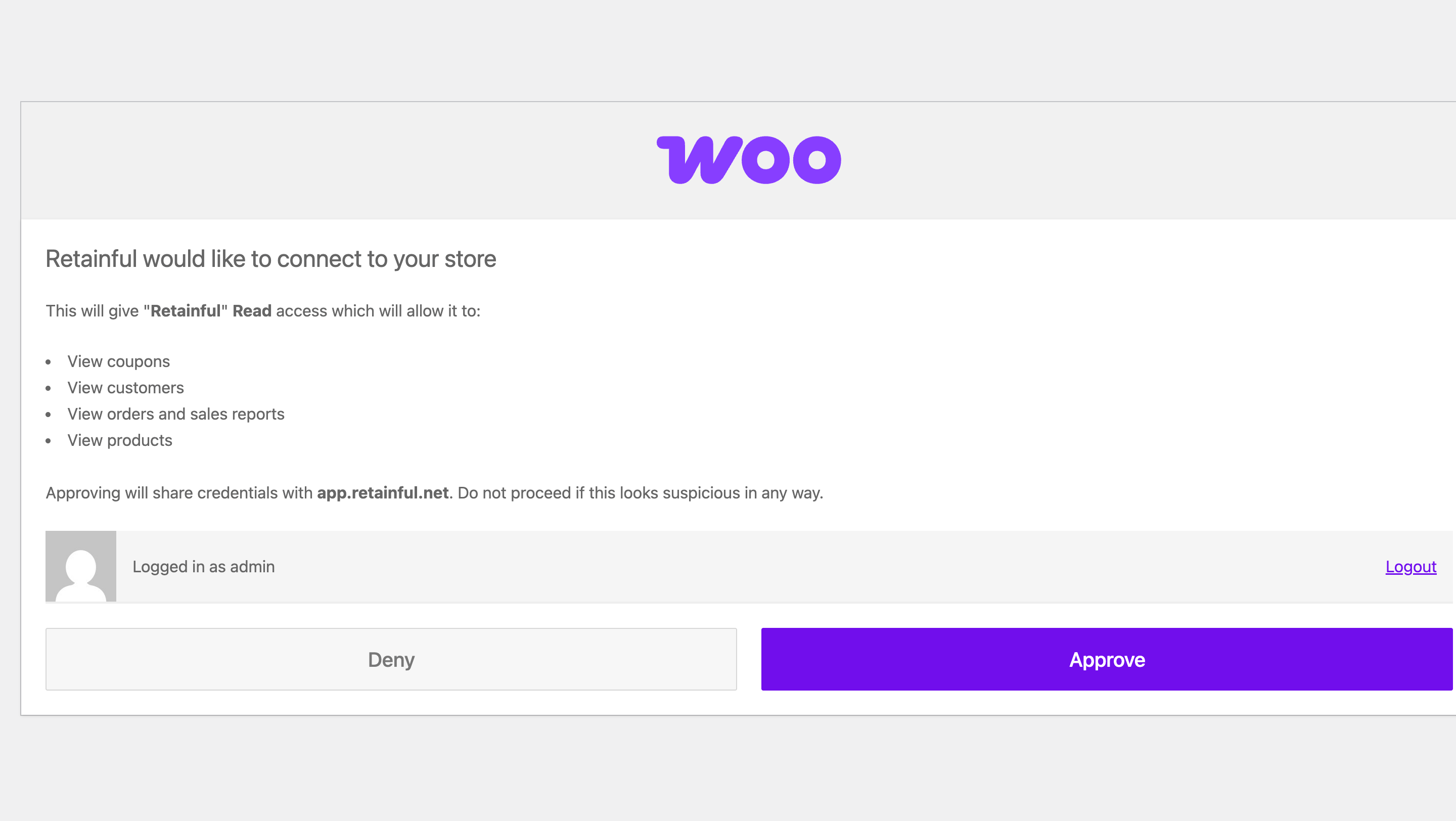
4
Wait for the first sync
Retainful imports your products, customers, and order history. Progress depends on store size.
The Integrations page shows your store as Connected, and new orders start appearing in contact timelines within a minute or two of being placed.
What the plugin tracks
Troubleshooting
Connection check fails immediately
Connection check fails immediately
Make sure the Retainful plugin is activated and WooCommerce is running. The connection check verifies both before starting.
Cloudflare blocks the connection
Cloudflare blocks the connection
If your site uses Cloudflare with Bot Fight Mode enabled, it can block Retainful’s connection request. Temporarily disable Bot Fight Mode (or add an exception) while connecting, then re-enable it.
Orders aren't appearing in Retainful
Orders aren't appearing in Retainful
Check that your site’s WordPress cron is running — some hosts disable it. Also confirm the store still shows as Connected in Retainful; if not, reconnect from the Integrations page.
Discount codes aren't being created
Discount codes aren't being created
Coupons are created in your store by the plugin. Confirm the plugin is up to date and the store connection is healthy, then test the automation again.