

Step 1: Verify the correct plugin is installed
Retainful looks for one specific plugin: Email Marketing for WordPress and WooCommerce - Retainful. An older or similarly-named plugin won’t be detected. To check what you have:- Log in to your WordPress admin.
- Go to Plugins → Installed Plugins.
- Search for Email Marketing for WordPress and WooCommerce - Retainful.
- Go to Plugins → Add New.
- Search for Email Marketing for WordPress and WooCommerce - Retainful.
- Click Install, then Activate.
Step 2: Check for connection blocking
If the plugin is installed and active and Retainful still can’t see it, your site is almost certainly blocking our request. Common culprits:- Firewall rules
- Security plugins such as Wordfence or Sucuri
- Hosting-level protections, including Cloudflare or a server firewall
- Any rule that restricts external API requests
Retainful verifies the plugin by making a request to your store. If that request never arrives, the plugin looks missing from our side no matter how correctly it’s installed.
Step 3: Allow Retainful through Cloudflare
If your site is behind Cloudflare, allow Retainful’s IP address through your security rules.1
Open your security rules
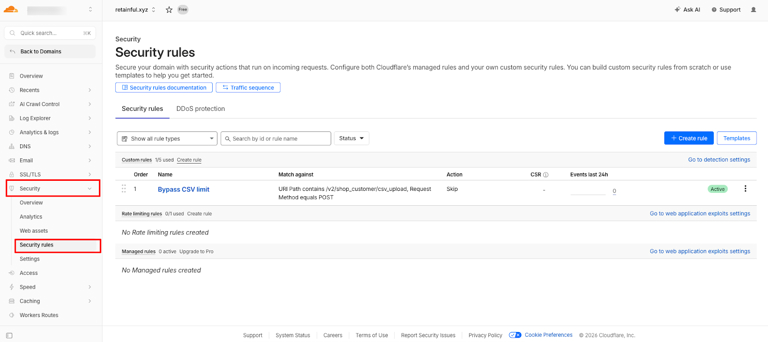
In the Cloudflare dashboard, select your domain, then go to Security → Security rules.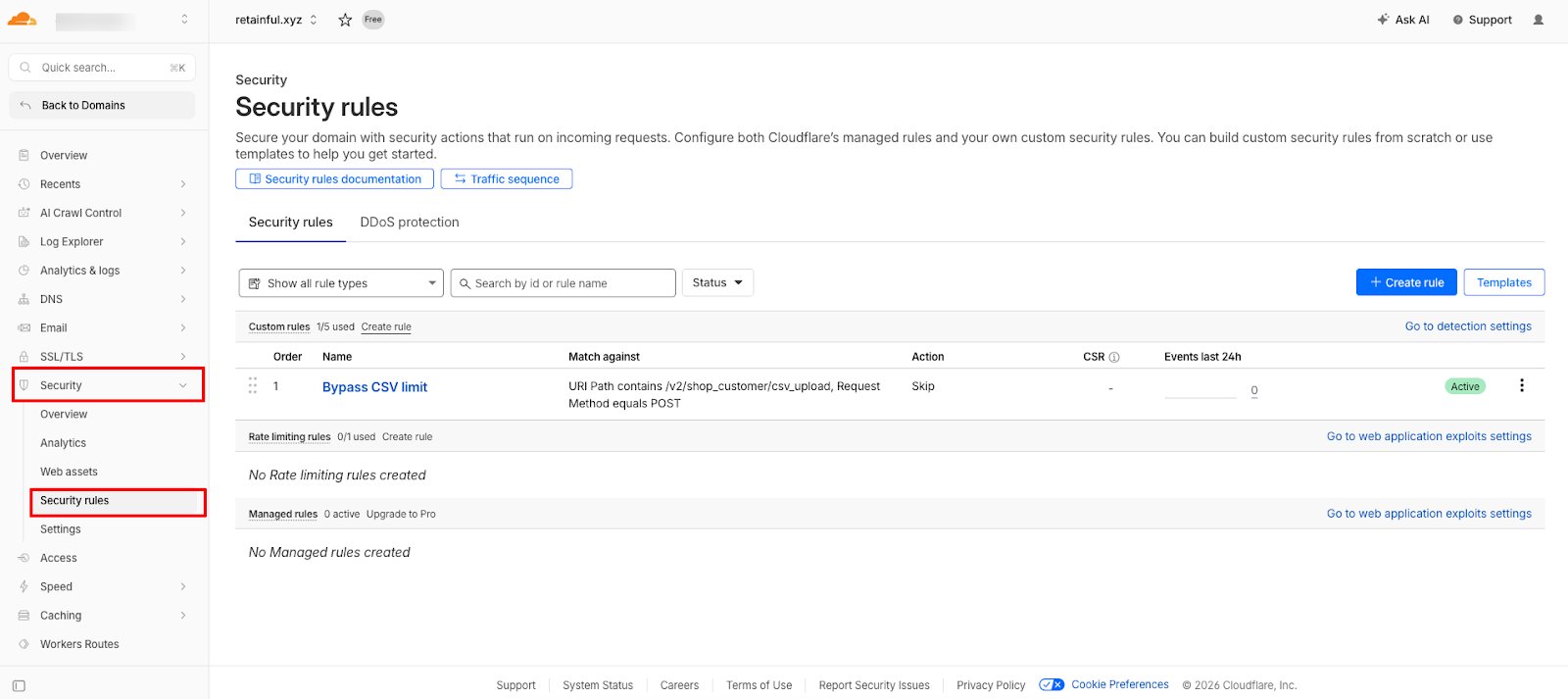
2
Create a custom rule
Click Create rule and choose Custom rules.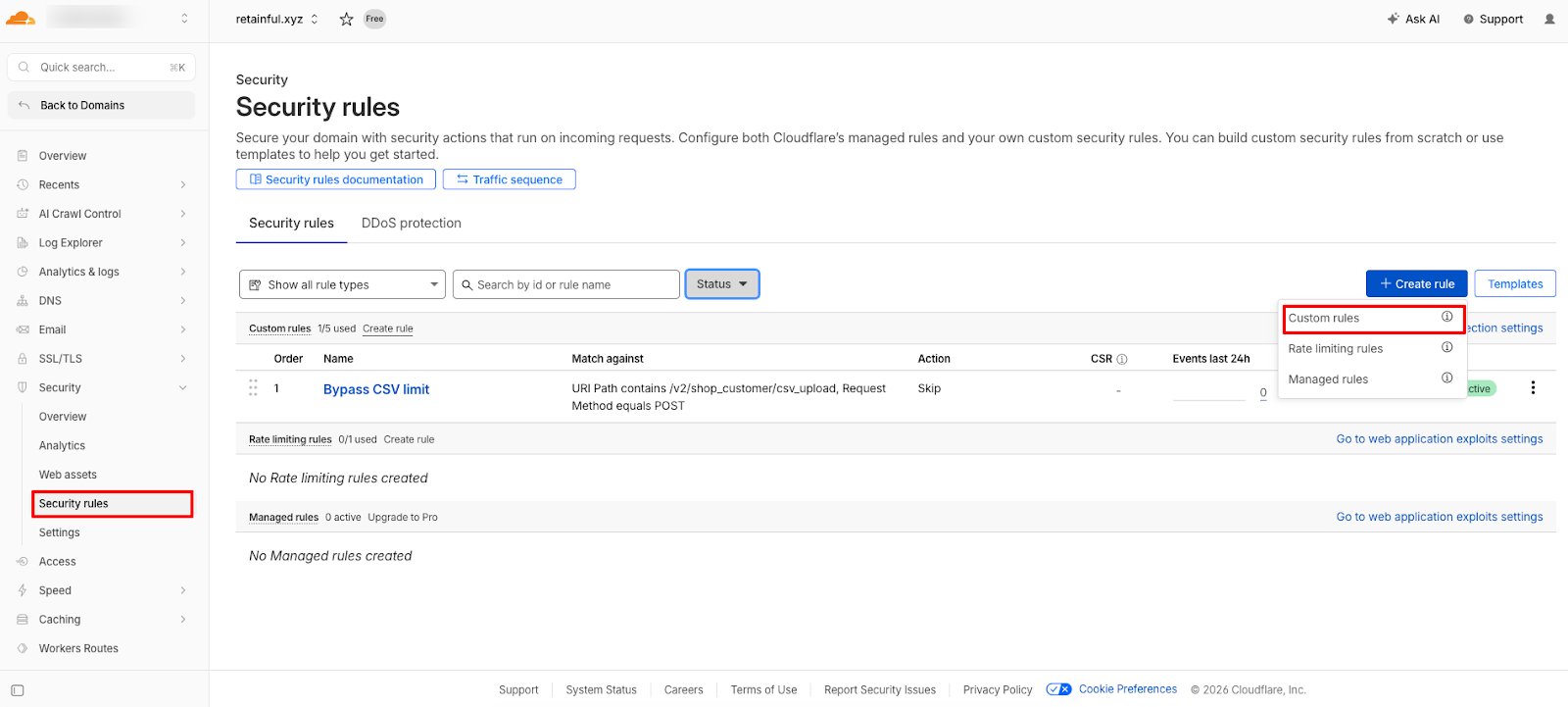
3
Match Retainful's IP address
Give the rule a name and match on Retainful’s address: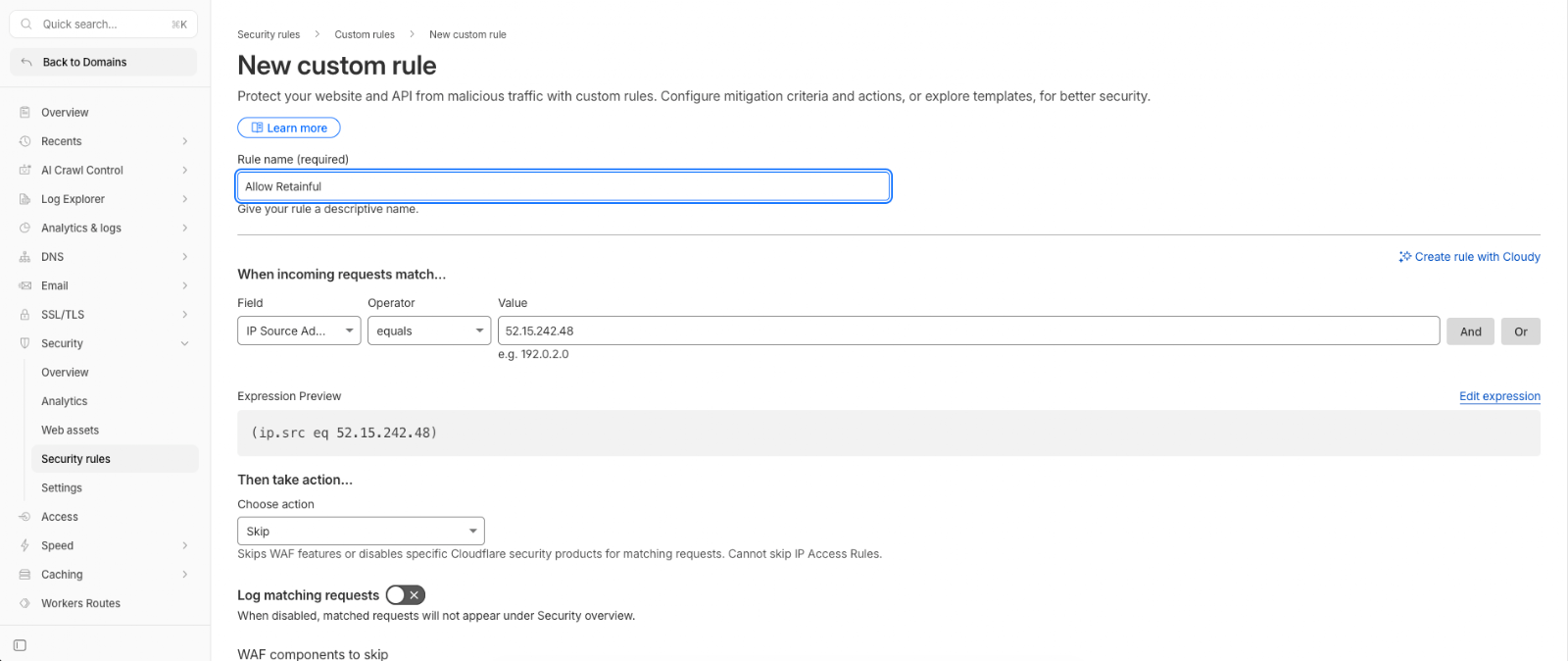
The expression preview should read
(ip.src eq 52.15.242.48).4
Set the action to Skip
Under Then take action, choose Skip.
5
Choose what to skip, then deploy
Under WAF components to skip, tick all four:
- All remaining custom rules
- All rate limiting rules
- All managed rules
- All Super Bot Fight Mode rules
Step 4: Reconnect your store
Return to Retainful and try connecting your store again. See Connect WooCommerce for the full connection flow.Why this happens
Installing the plugin correctly isn’t enough on its own. Retainful confirms the installation by calling your store, so if your server blocks that call, verification fails and we report the plugin as missing — even though it’s sitting there, installed and active. Allowing our IP through lets the check complete.Still stuck?
If the connection still fails after allowing our IP:- Temporarily disable security plugins such as Wordfence or Sucuri and retry, to confirm whether they’re the cause.
- Check with your host about server-level firewalls that sit in front of WordPress.
- Email support@retainful.com, or book an onboarding call.